

Shopify POS for a fashion brand: ERP integration and retail flows
How to wire Shopify POS to a fashion ERP (Business Central K3 Fashion) for real-time multi-store stock, sales and customer sync.
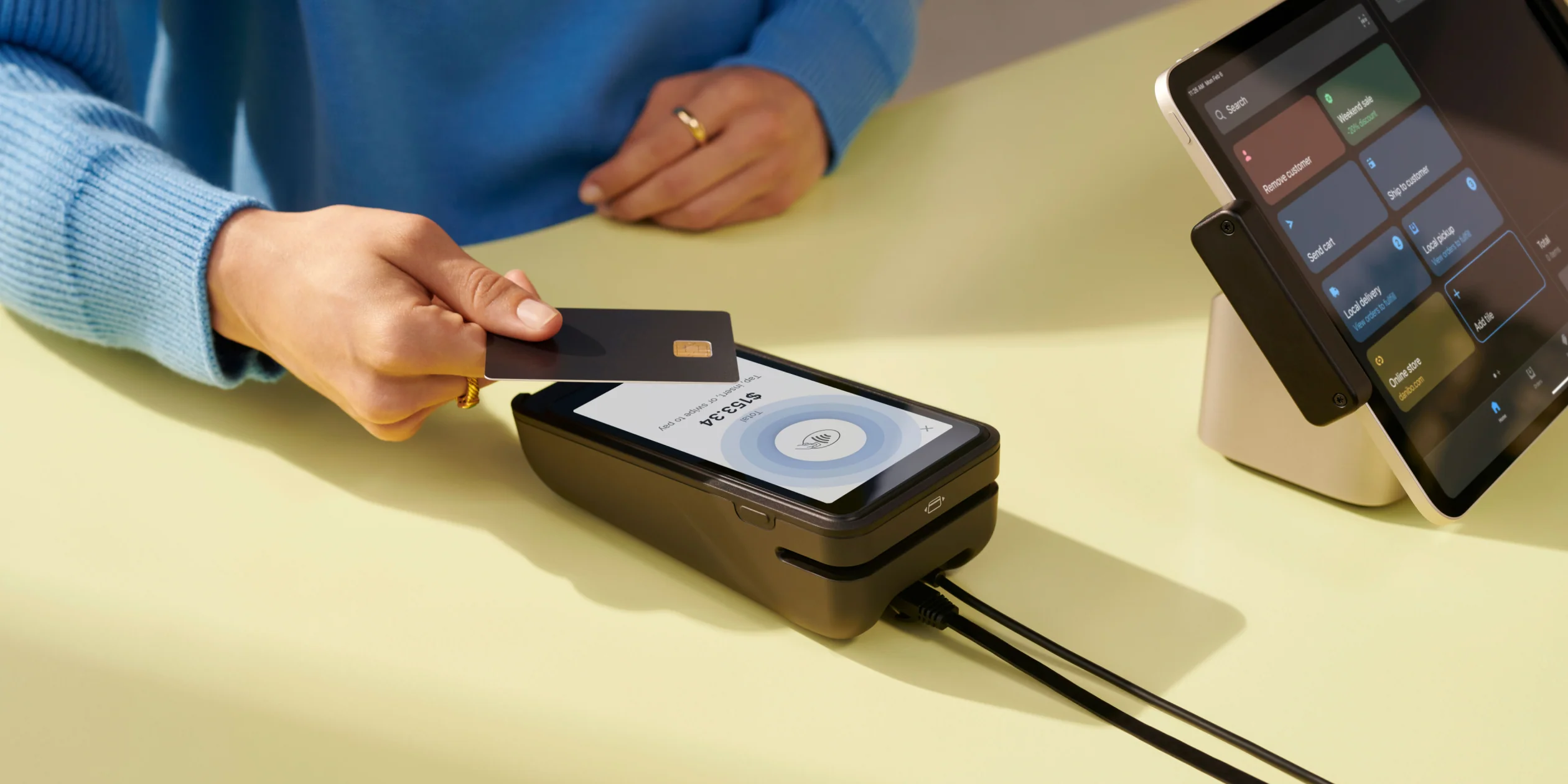
For a contemporary or luxury fashion brand, Shopify POS has become the default retail point-of-sale system since 2022. Easy to use, single shop window with e-commerce, mature app ecosystem, fast deployment. But Shopify alone isn’t enough to steer a multi-store fashion brand: you need an ERP capable of handling fashion taxonomies (size/color matrix, pre-pack, seasonality, wholesale EDI, import customs). Here is how we integrate Shopify POS and Microsoft Dynamics 365 Business Central with the K3 Fashion vertical for the brands we support.
Why Shopify POS
Shopify POS ticks boxes no traditional retail POS ticks as well for a fashion brand: smooth associate UI on iPad, integrated payment (native Stripe Terminal, Adyen via app, European partners), unified e-commerce + retail stock in real time without middleware, instant promotion and code application from the e-commerce, customer loyalty via the shared Shopify profile, native barcode scanning, inter-store transfer management.
For a brand starting up or consolidating, it’s today’s market choice. For a brand on a legacy POS (Cegid, Openbravo, NetSuite), the migration is often worth the effort.
The role of the fashion ERP
Shopify alone isn’t enough as a central information system for a fashion brand:
- No native size/color matrix (Shopify has “variants” but no per-carton pre-pack logic, size curves, per-collection seasonality).
- No wholesale management (the multi-brand sales channel with EDI, allocations, dropshipping).
- No multi-country, multi-currency, complex multi-tax analytical accounting.
- No industrial purchasing management (factory POs, Asia/Europe, deadlines, Incoterms).
The ERP that covers all that for fashion brands is, in 80% of cases we see, Microsoft Dynamics 365 Business Central with the K3 Pebblestone (renamed K3 Fashion in 2023) vertical. The default choice with our fashion clients, validated by ten years of experience.
The integration architecture
The target diagram:
[ Shopify (e-com + POS retail) ]
            ↕  (real-time bidirectional sync)
[ ERP-Shopify connector ]
            ↕
[ Microsoft Dynamics 365 Business Central + K3 Fashion ]
            ↕  (EDI XML/EDIFACT, Power Platform)
[ Wholesale clients, B2B platforms, customs, banking ]
The Shopify ↔ Business Central connector is the critical component. Three main options:
- eBridge Connections — market reference, reliable, per-transaction pricing, ideal for established volumes.
- Native Shopify connectors — the “Shopify Connector for Microsoft Dynamics 365 Business Central” matured in 2024-2025. Our default on new projects.
- Connectors built by K3 integrators — quality varies by vendor. Evaluate case by case.
What syncs (and which way)
From Business Central to Shopify (downward): product catalog with size/color matrix, retail prices, per-store stock levels, tax rules, multilingual translations if needed.
From Shopify to Business Central (upward): retail sales (with location, associate session, payment method tagging), e-commerce sales (with logistics flow tagging), customers created in store, returns and credits.
Bidirectional real-time: stock levels (an item sold in store A immediately decrements available stock on the e-commerce and store B). The strong point that justifies the integration.
Multi-store stock management
For a brand opening 5 or 10 international stores, stock management becomes central. A few rules we systematically impose:
- One Shopify location per physical store + one for e-commerce + one for wholesale. The ERP sees each entity as a distinct location.
- Explicit allocation rules — which order is fulfilled from which stock first (commonly: retail order = store stock, e-commerce order = central warehouse, wholesale order = dedicated wholesale stock).
- Inter-store transfer policy — who can request a transfer, who validates, how it’s traced in accounting.
- “Sales” and “pre-collection” stock tags in K3 Fashion to exclude channels per season phase.
Project timeline
For a 5-10 store brand with Shopify already in place and an ERP to build or migrate:
- Business scoping — 4-6 weeks (retail, wholesale, purchasing, finance processes).
- Business Central + K3 Fashion design and configuration — 2-4 months.
- Shopify connector integration — 1-2 months in parallel with end of ERP configuration.
- Data migration (catalog, customers, history) — 1 month.
- Parallel testing + cut-over — 1-2 months.
Total: 6-12 months depending on complexity, geographic scope, and quality of initial data. We pilot this type of project as delegated project management, with the K3 publisher or a Business Central integrator partner, and the brand’s internal team.
Field feedback
What we systematically hear from brands after a successful cut-over: the disappearance of the weekly stock/sales reconciliation Excel files (which consumed a person-day per week), the smoothness of new store openings (creating a Shopify location + ERP integration takes 48 hours, vs weeks before), the ability to see global stock in real time to answer a customer or decide on a transfer.
If you operate or are building a multi-store fashion brand and this topic concerns you, the form at the bottom of the home is built to start the conversation.
Field-report context: Paris fashion brand, multi-store international (anonymized)
Related service
Point of Sale — your IT partner in Paris
Performant POS systems and traffic analytics to elevate the customer experience and grow sales.
Discover the serviceRead next
More on modern SMB IT management.

Choosing an IT services provider in Paris in 2026
The 8 criteria that separate a real IT services provider from a reseller: scope, SLAs, security, AI, multi-OS. A guide for demanding Paris SMEs.
Read the post
Apple Business Manager and MDM: what changes in 2026
Declarative management, Managed Apple Accounts, Platform SSO, Apple Intelligence in business: the state of the art of Apple MDM and ABM for Mac fleets in 2026.
Read the post
Dante: audio over IP for meeting rooms and auditoriums
How Dante replaces analogue audio cabling with IP networking: principles, hardware, AES67, Dante Director and business and event use cases.
Read the post